

The Process
Follow these six steps to build a complete submittal package. No extra software, no multiple websites — everything lives here.
STEP 01
Choose Your Products
Click Products in the main menu, then select Interior Products to browse the complete
portfolio — drywall, insulation, ceiling, and wall systems.
STEP 02
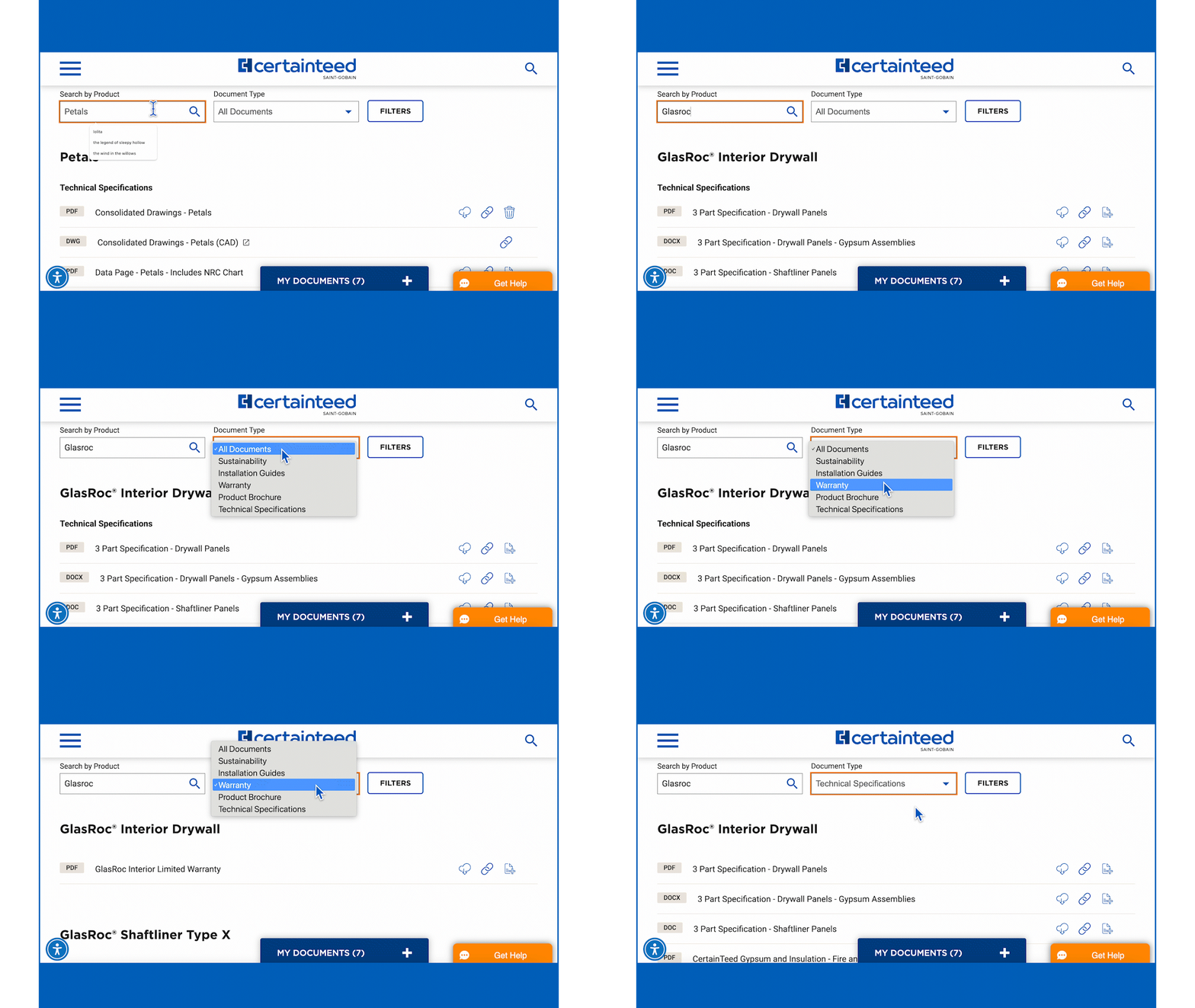
Find Product Documents
Access the Documents Search Tool anytime from the main menu. Filter by product
name and document type — specs, installation guides, brochures, sustainability docs,
or warranties.
STEP 03
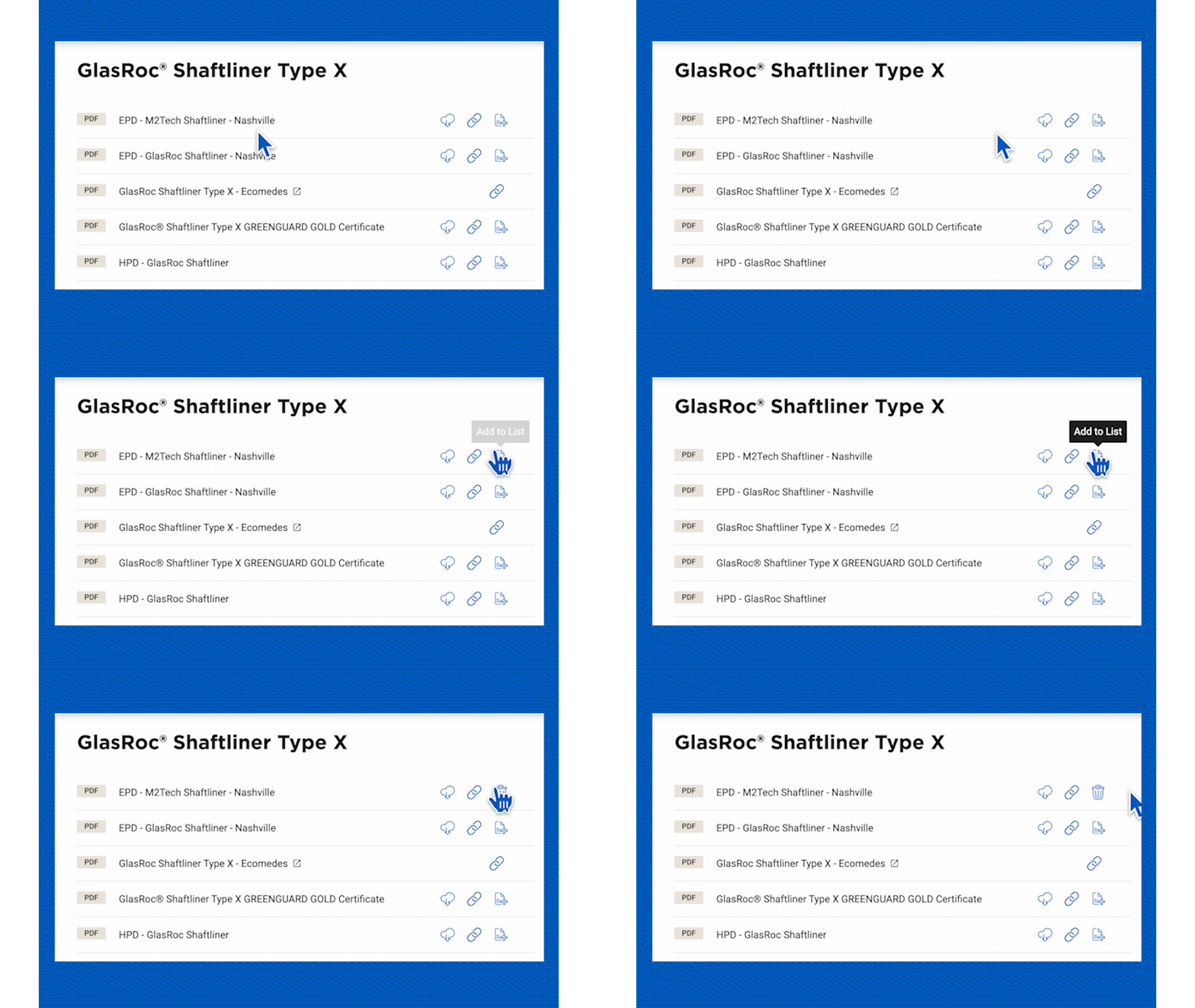
Select the Documents You Need
Look for the Add to List button to the right of each document. You can also add
documents directly from individual product pages.
STEP 04
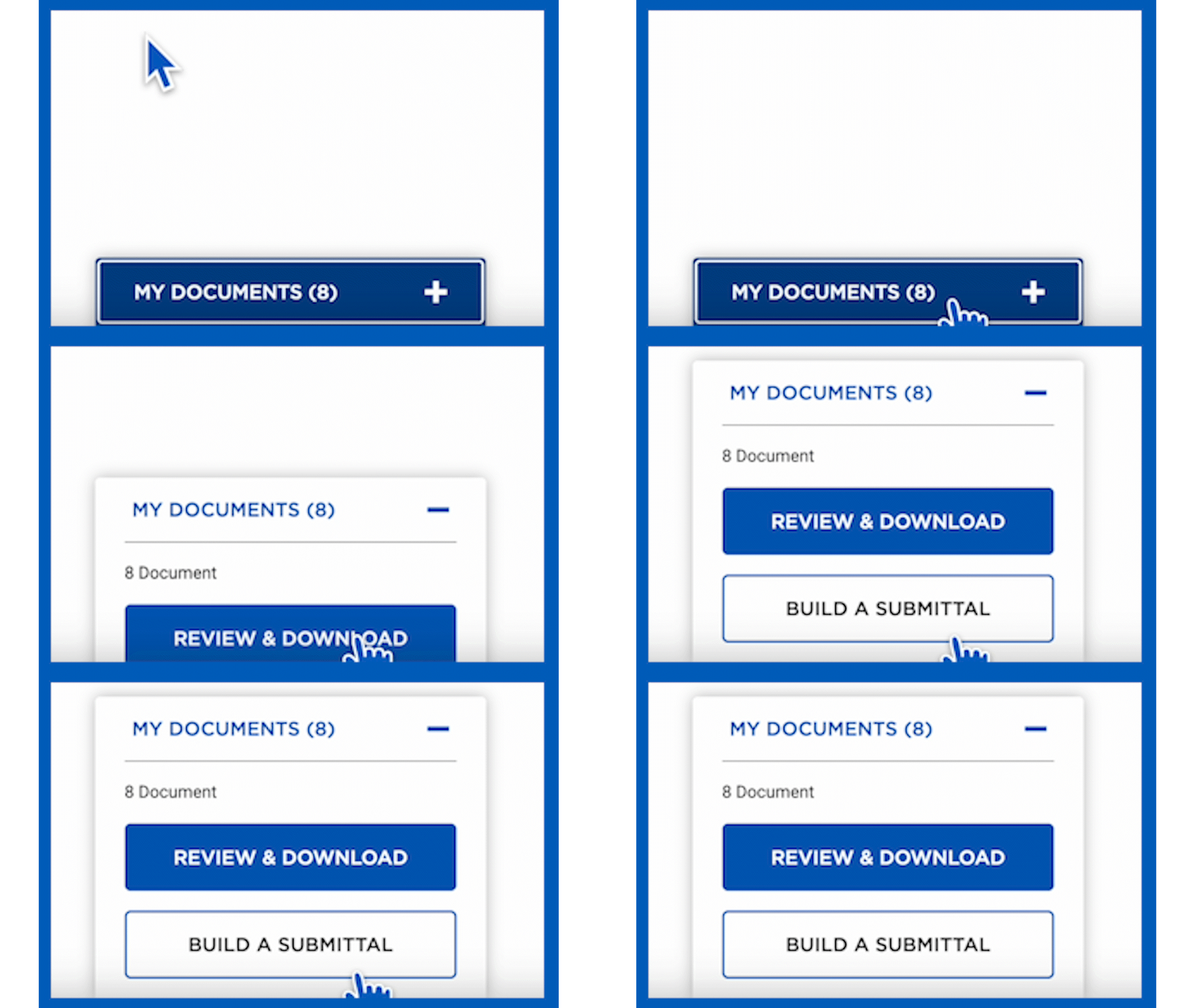
Review and Manage Your Documents
Your selections appear as a tab at the bottom of the page. Open My Documents to
review, reorder, or remove files before building your submittal.
STEP 05
Build Your Submittal
Click Build a Submittal. Generate a cover sheet from our template or upload your own
PDF with your company logo. Complete the required fields and continue.
STEP 06
Download & Share
Download a ZIP for electronic distribution or email directly to teammates, architects, or
general contractors. Log into Submittal Central via OKTA SSO to access, edit, duplicate,
or reuse past submittals.